Follower Insights for LinkedIn Chrome Plugin
Show LinkedIn followers where it really matters! In addition to the title ...
Show LinkedIn followers where it really matters!
In addition to the title and initial description, the number of followers often says a lot about the reach and activity of a LinkedIn account.
Unfortunately, LinkedIn only shows this number in a few places and so you have to look at LinkedIn profiles relatively often to get a feel for the reach and activity. With this plugin you save the time to check every profile!
Click here for the German version
Follower Insights for LinkedIn Plugin
I solved this problem with a browser plugin for Google Chrome and Edge. The plugin is available in two versions and not only saves you time but also provides additional insights.
Without Plugin 😢
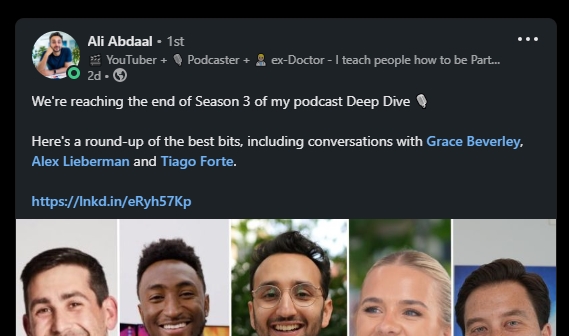
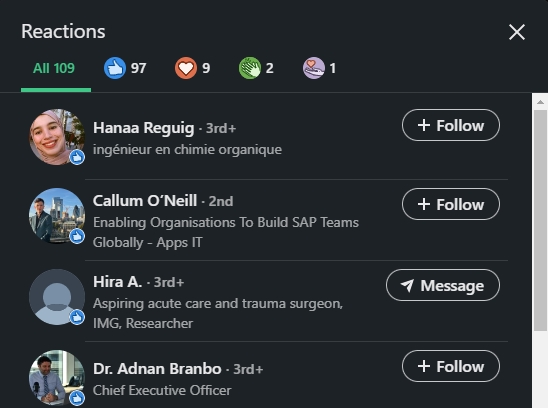
With Plugin 🥳
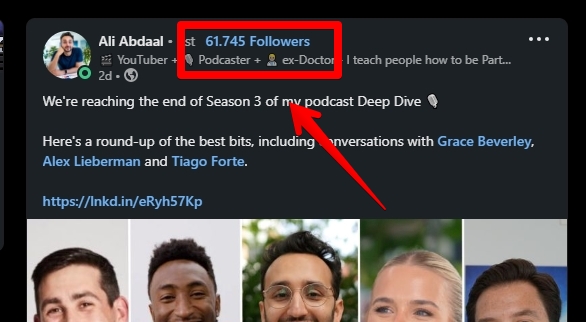
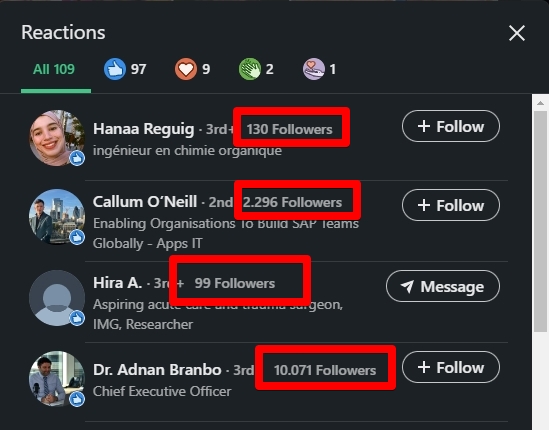
In which sections are followers displayed?
After installing the plugin and refreshing the LinkedIn page, the followers of a profile are displayed in various places. These may be expanded in the future, but are already very useful.
- In every LinkedIn Post
- In every LinkedIn comment
- In every post engagement section
- In every LinkedIn people search
- In every contact request
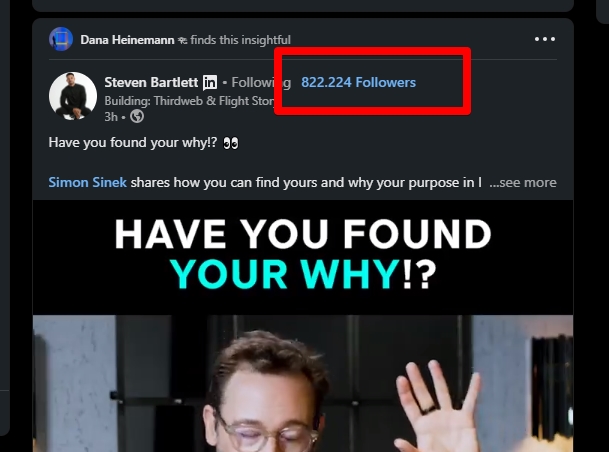
In the LinkedIn feed for every post
To rate profiles directly in your feed and see their reach, followers are displayed with each post in your feed.
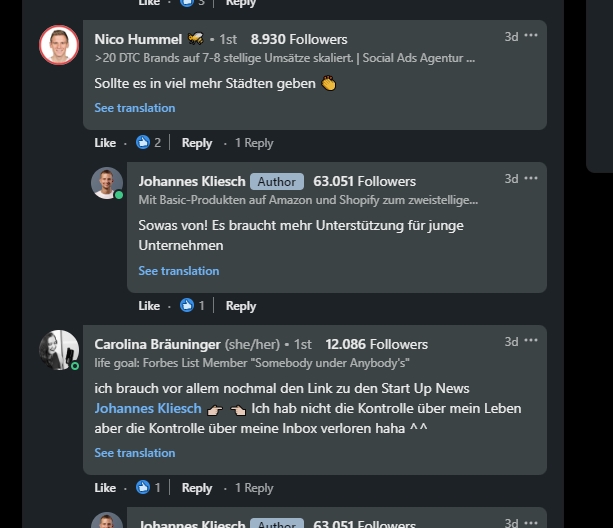
In any LinkedIn comments
In addition to the feed, it is of course also exciting to see how large profiles are, which cavort in the comments. Here too, the plugin shows you the followers in each comment next to the name.
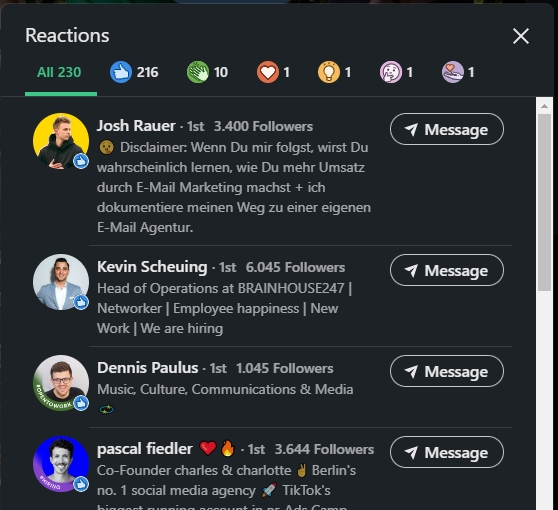
In the LinkedIn Likes / Reactions
And also in the LinkedIn reactions, thanks to the plugin, you can quickly see which profiles already have many followers and quickly identify potential influencers.
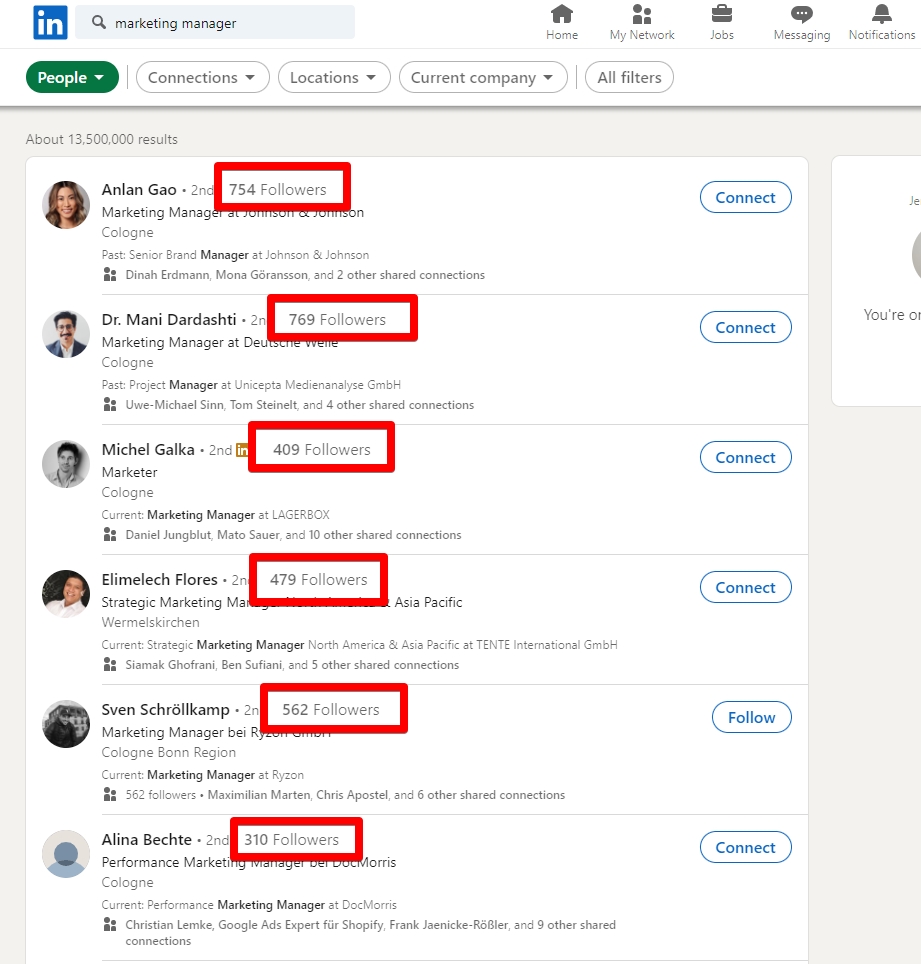
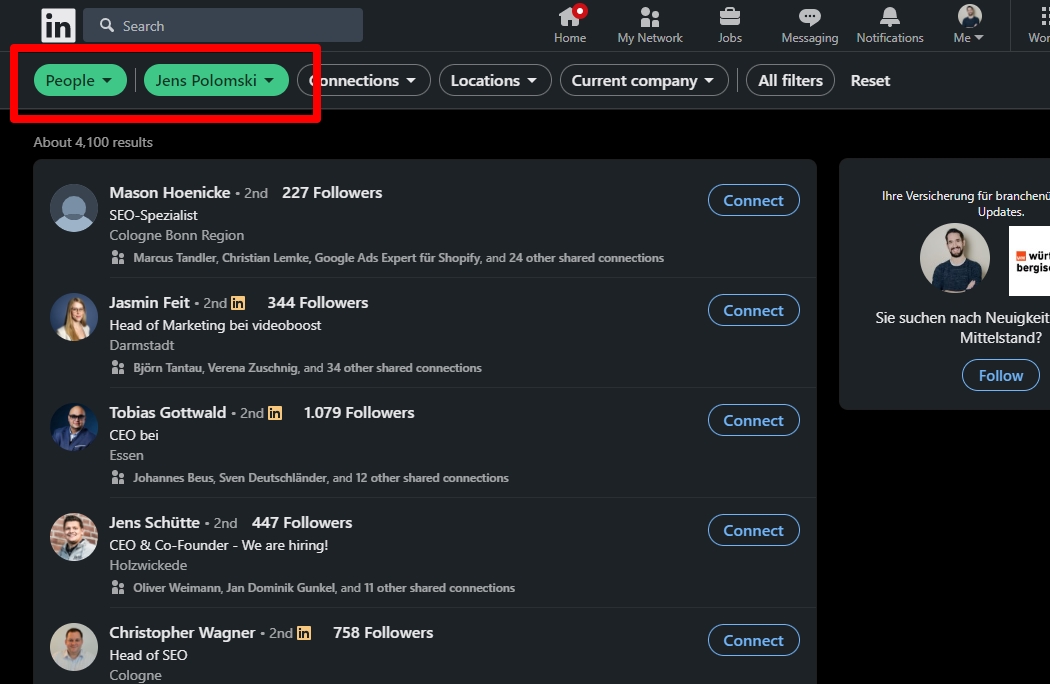
In every LinkedIn People Search
If you start a regular LinkedIn people search, you will also notice the exact amount of followers, next to every profile.
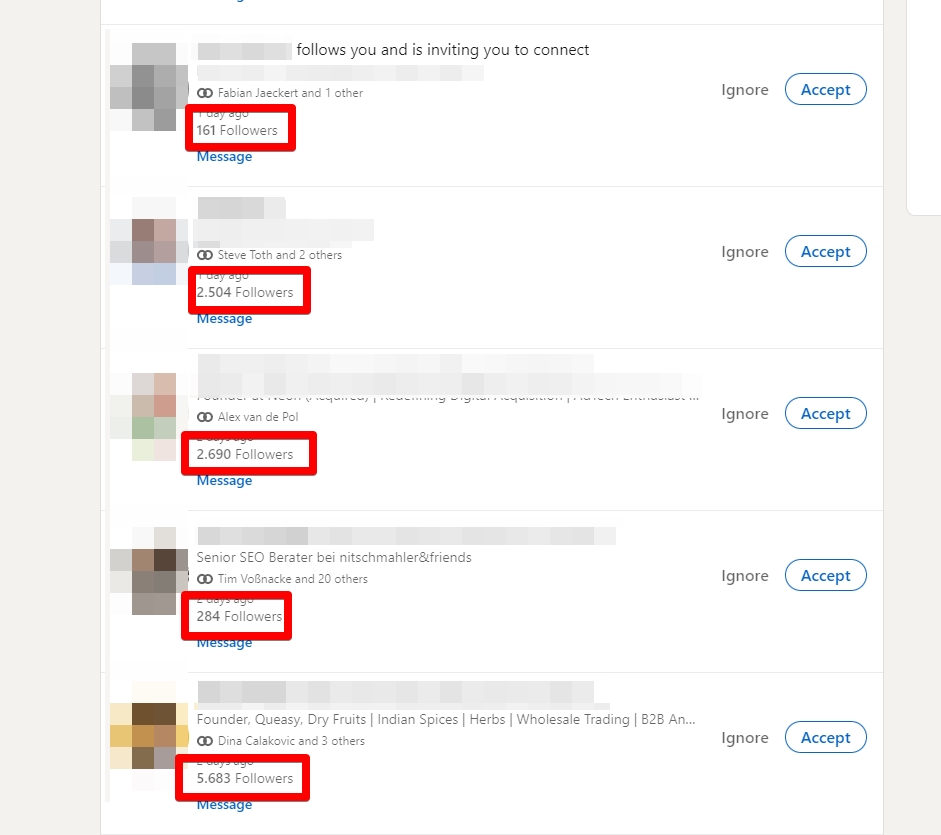
In incoming contact requests
To get a feeling on whos asking you to connect with you on LinkedIn, I also added the follower-count in this view.
Direct look at all followers
You can already set a filter in the regular LinkedIn search to find followers of a profile.
However, this is a bit more time-consuming over 2-3 clicks and is often forgotten.
In the Pro version of my plugin, you can now simply click on the follower count (in any view) and jump directly to the corresponding search.
Different follower counts?
Yes, the numbers in the view and in the search are very different. But the reason here is quite simple. Only the followers who are not linked to the corresponding profile are displayed in the search.
Benefit: More insights and save a lot of time!
And what do these numbers do for you on LinkedIn? Quite a lot! 😄
If you publish content on LinkedIn yourself, you naturally want to have active profiles in your network, which also bring you more reach through interaction with your content. You can easily identify these profiles via the plugin.
In addition, even with other people’s posts, you’ll quickly find great profiles here that have already built up a large network outside of your bubble.
Surely there are many more reasons why the number of followers is a super indicator here and to evaluate profiles quickly and easily.
Install free version
With this plugin I decided to provide a free version. Here you get the number of followers displayed in all areas. However, followers from 1,000 are no longer displayed but marked as „1,000+“. Where you already have a first feeling for the reach of the account.
Pro Version
With the Pro version, you no longer have limits on the number of followers and can see exactly whether a profile has only 2,000 followers or 200,000 followers.
Positive side effect: you fund the further development of the plugin.
Follower Insights for LinkedIn
EUR 29.00, VAT included
One-time payment, no subscription
- No limit on the number of followers
- Growth trend over 7, 30 and 90 days
- One click from a follower count into that profile's follower list
Payment is handled by Stripe. The license key arrives by email, the invoice with VAT stated comes with it.
FAQs
Why not completely free of charge?
Even the free version gives you the follower counts in all five places, above 1,000 they are shown as „1,000+“. Pro lifts that limit, adds the growth trend and funds the further development.
Why only a one-time payment?
I would not want to be without the plugin myself, but a subscription for a number next to a name strikes me as excessive, and I would not sign up for one either.
What happens after payment?
Delivery is automatic: you pay via Stripe, your individual license key goes to the email address from the checkout, and the invoice comes with it. If nothing arrives, please check your spam folder and then drop me a line — I will find the payment and send the key by hand.
What do I do with the license key?
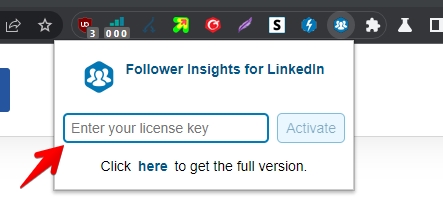
After you have received your license key, you can simply enter it in the plugin and click „activate“. Now you just need to update your LinkedIn tab and access the full insights.
How many devices does one license key cover?
One key covers one device, so a second computer needs a second key. If I notice a key running on many devices, I block it.
Even more FAQs ...
I am missing a feature!
You have more ideas to make the plugin more comprehensive? Great! Feel free to contact me!
What happens when LinkedIn updates?
LinkedIn often changes something in the design or structure. This can break the plugin. If this is the case, I will provide an update in a timely manner.
Is there a risk?
Officially, LinkedIn does not want third-party plugins. However, a look in the Chrome Store or in my LinkedIn tool list shows the amount of tools that offer exactly this and have been active successfully and without problems for many years.
I personally don’t know of any case where any accounts were blocked by helpful plugins.
Since I developed the plugin for my own use, I carry the same risk as you. Nevertheless, I cannot give you any guarantee here.
Is this an official LinkedIn plugin?
No! This plugin is not related to LinkedIn and was developed by me personally, because I simply missed the function.